1 card
A$49A$49 per cardStart with one counter
Choose 1 cardNFC GOOGLE REVIEW CARD
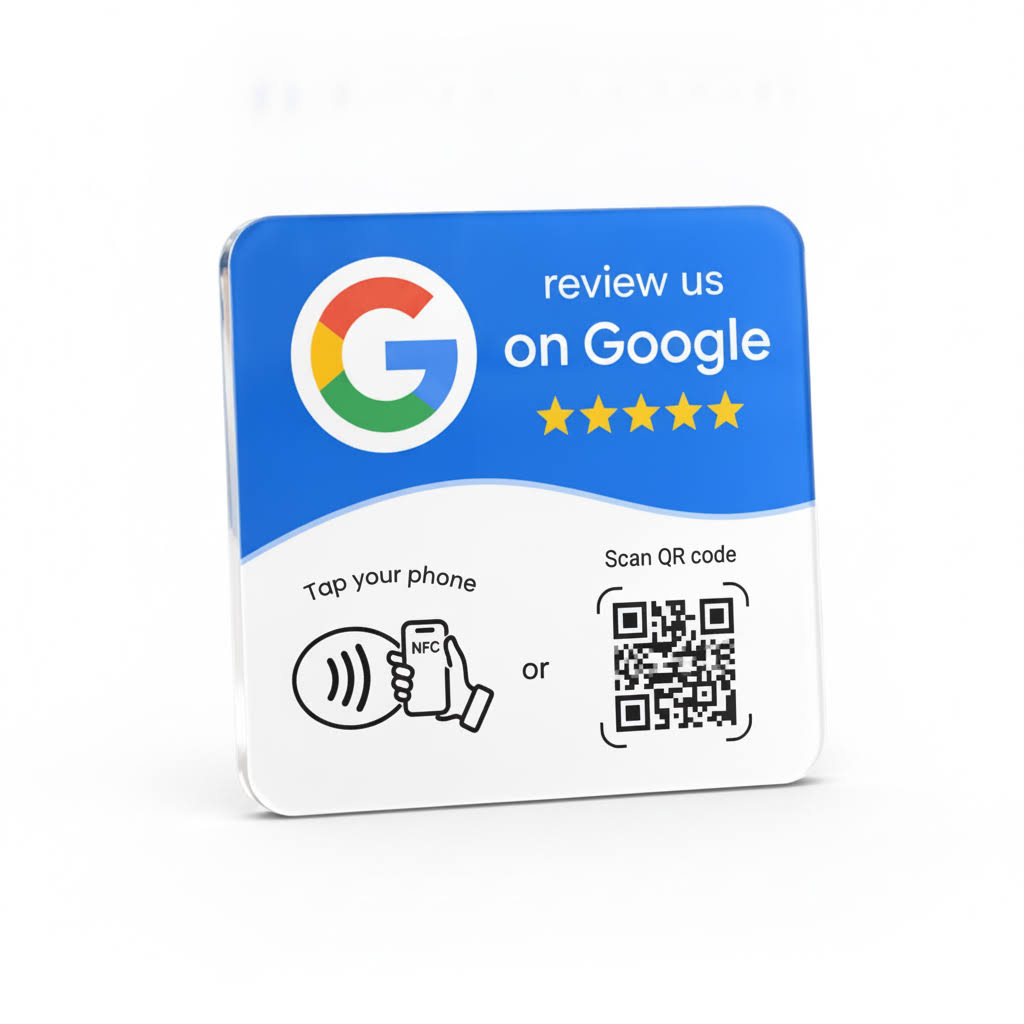
Make it easier for customers to reach your Google review page. Tap5 is pre-programmed for your business and ready to use when it arrives.
We aim to dispatch within 1 business day after payment and complete business details. Delivery details
Both the NFC tap and the printed QR code open your business’s Google review page. Your cards are prepared for the same business location before dispatch.
CHOOSE YOUR PACKAGE
GST and Australia-wide shipping are included. All cards in your pack serve one location and the same review page.
1 card
A$49A$49 per cardStart with one counter
Choose 1 card2 cards
A$69A$34.50 per cardCounter and reception
+A$20 vs 1 cardChoose 2 cards3 cards
A$89A$29.67 per cardThree service points
+A$20 vs 2 cardsChoose 3 cards4 cards
A$99A$24.75 per cardFour places to tap
+A$10 vs 3 cardsChoose 4 cards5 cards
A$112A$22.40 per cardBest price per card
+A$13 vs 4 cardsChoose 5 cardsHOW TAP5 WORKS
From business-listing setup to a simple customer invitation.
Select one to five cards and provide your business details during checkout.
Tap5 uses your business name and address to identify the correct Google listing, then prepares and tests the NFC and QR destinations for one location.
They tap with a compatible NFC phone, open the notification and reach your review page. Google may ask them to sign in. The review is their choice.
Picture it in your business
At the counter, at reception or at the end of a job. Make your review page easy to reach when customers are ready to share.
Place Tap5 beside the till so customers can open your Google review page before they leave. A short invitation fits naturally into the end of an order.
At the café counter
Keep a card at checkout and invite clients to tap after their appointment. They can reach your review page without searching for the shop later.
After the appointment
Give clients an easy way to share feedback while checking out. A card at reception keeps the invitation simple and visible.
At reception
Offer a brief review invitation after the meal, when guests pay. Tap5 gives them a direct route to your Google review page.
When guests pay
Invite feedback when customers collect their vehicle. Keep Tap5 at the service desk so regulars and new customers can find your review page.
At vehicle collection
Place the card where clients finish paying. They can tap with a compatible phone and open your review page without looking up the salon.
At the payment counter
Carry a Tap5 card to each job and offer a review invitation when the work is complete. Customers can open the page on the spot and review when it suits them.
At the end of a job
Keep the card beside the collection counter for a quick invitation after an order. Customers can open your review page and choose to leave feedback now or later.
At order collection
A card at reception gives patients a simple option to share their experience after their visit. They choose whether to continue and what to write.
At reception after a visit
Offer a tap when handing the vehicle back. Customers can access your Google review page while the service is fresh in their mind.
At the final handover
From A$49 · No subscription · GST and free AU shipping included
REMOVE THE FRICTION
Without a clear prompt, a customer may need to remember your business name, search Google and find the correct listing. Tap5 shortens that path to a simple tap.
WHY TAP5
Physical NFC hardware, business-listing setup and help when you need it.
Opens your review page on a compatible phone.
The basic tap-to-web flow does not need a Tap5 app.
No monthly subscription. GST and Australia-wide shipping are included.
Your cards are configured for one business location before dispatch.
The package contains the selected NFC cards; no stand is included.
Use it where customers naturally pause, thank your team or collect an order.
MADE FOR AUSTRALIAN BUSINESSES
AUD pricing, GST-inclusive packages, free Australia-wide shipping and support for businesses across Australia.
NFC OR QR?
NFC lets a customer tap a compatible phone without camera alignment. Google provides a free review link and QR code. Tap5 adds physical NFC hardware, a printed QR option and setup for your business. Neither method guarantees a review; the customer always chooses.
Both the NFC tap and the printed QR code open your business’s Google review page. Your cards are prepared for the same business location before dispatch.
Read the NFC and QR comparisonIPHONE & ANDROID
The phone may need to be unlocked, NFC must be supported where applicable, and thick or metal cases can affect detection. Internet access is required to load Google.
See compatibility guidanceTAP5 SPECIFICATIONS
Cards are prepared for one business location. Installation uses the adhesive already on the back.
AFTER YOU ORDER
Dispatch is when your order leaves us, not when it arrives. Need it by a particular date? Contact us with your postcode before ordering for the current delivery estimate and tracking details. Shipping & tracking
Need setup help? Email support Monday–Friday. We aim to reply within 2 business days. Contact Tap5. Read the delivery and order terms.
QUESTIONS
Still comparing options? Explore the Tap5 guides, review guide, NFC explainer or Google Review Card Australia overview.
It is a physical NFC review tag that opens your business review page when a compatible phone is tapped. The customer still chooses whether to leave a review and what to write.
No Tap5 app is required for the basic tap-to-web flow. A compatible NFC-enabled phone and internet access are needed.
Tap5 works with most modern NFC-enabled smartphones. The phone may need to be unlocked, and thick or metal cases and physical distance can affect detection.
The phone opens the Google review page for your business. Tap5 does not post a review automatically or choose a rating for the customer.
Tap5 is configured for the business location supplied with the order. Email support before programming starts if you need to correct your business details. Contact us for help if a programmed link needs attention.
Tell us your business name and address during checkout. Tap5 uses those details to identify the correct Google listing, programs the cards for one location and tests the programmed link before dispatch.
We aim to dispatch within 1 business day after payment and complete business details. Contact us with your delivery postcode for the current carrier estimate and tracking details.
Both the NFC tap and the printed QR code open your business’s Google review page. Your cards are prepared for the same business location before dispatch.
Contact Tap5 with your order reference so we can check the setup and resolve incorrect programming under the order terms.
No. Tap5 is a one-time purchase. Prices include GST and free Australia-wide shipping.
Yes. You can choose one to five cards per order, and the selected cards are programmed for the one business location and review destination supplied during checkout. Place a separate order for another location.
We collect the order and delivery details needed to process it, provide support and fulfil the order. See the privacy policy for details.
READY WHEN YOU ARE
Tap5 makes it easier for customers to leave genuine feedback. They choose whether to leave a review and what rating or comments to submit.
Choose your Tap5 package